Welcome to Antenno.
The new free community app for Albany.
Antenno is a mobile app that sends you notifications about places and topics you care about, right here in Albany.
It is free to download and there is no sign-up required to get started!
With Antenno, you can stay connected to your local area and report issues directly to the City of Albany quickly and easily. Whether it’s a reminder about rubbish collection or an update on roadworks, Antenno keeps you in the loop.
Download Antenno for Android
Download Antenno for iPhone
On this page
How to set up my places of interest in Antenno
How to report community issues in Antenno
Download this guide
How to set up my places of interest in Antenno
With Antenno, you can set up places that you would like to receive notifications about. This may be your home, work, school, or other relevant places.
Step 1
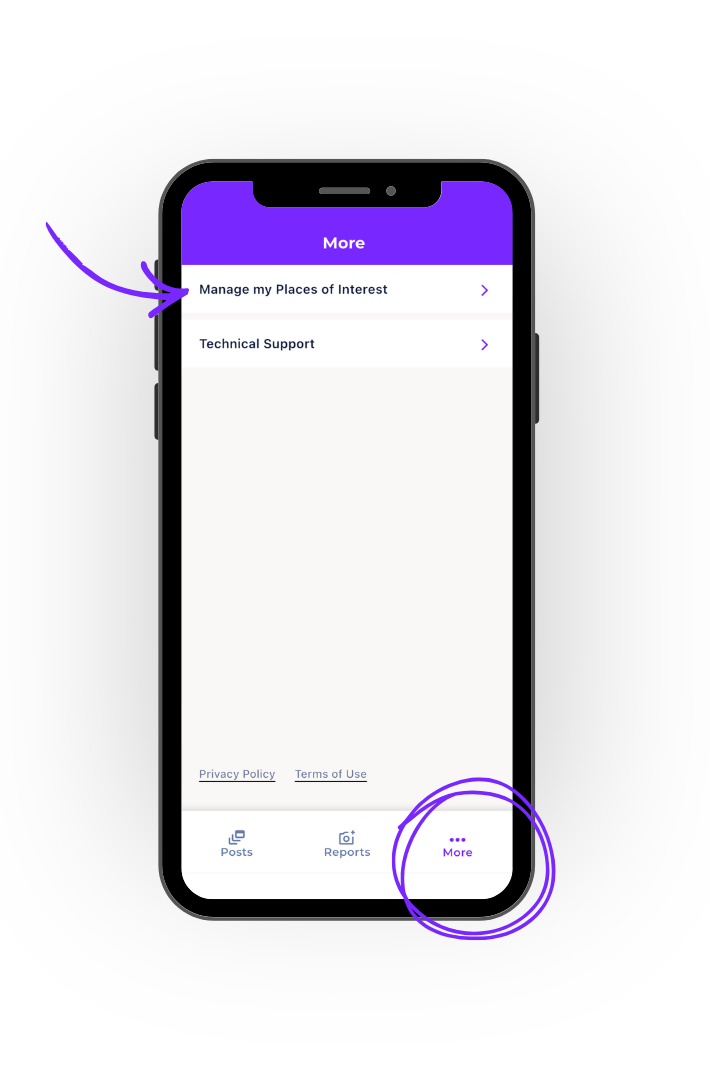
Open the Antenno app and tap on ‘more’ on the bottom right.
Step 2
Then tap on ‘manage my places of interest’.
Step 3
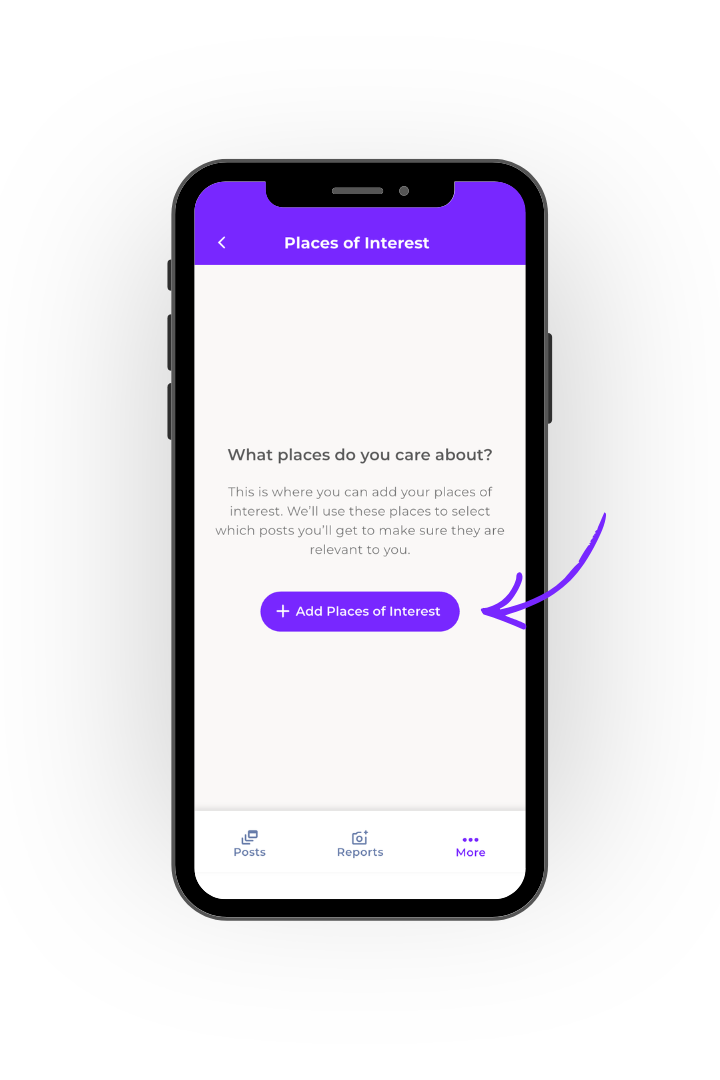
Tap on ‘add places of interest’.
Step 4
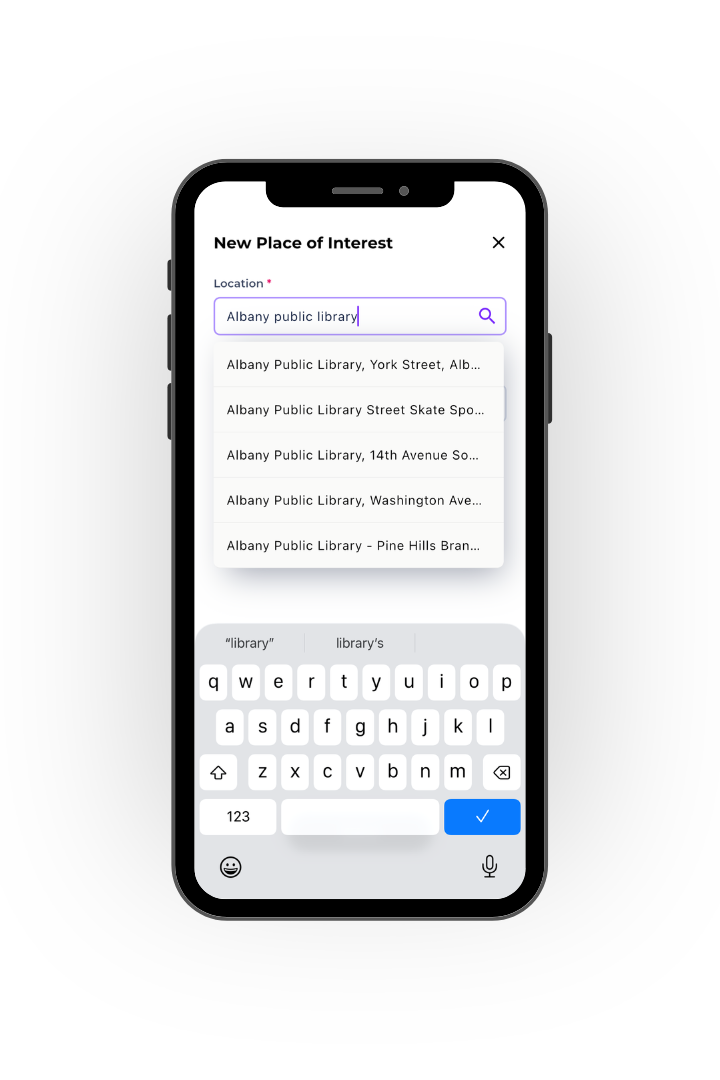
Start typing the address of the place. A dropdown will appear and you can select the place from the list.
Step 5
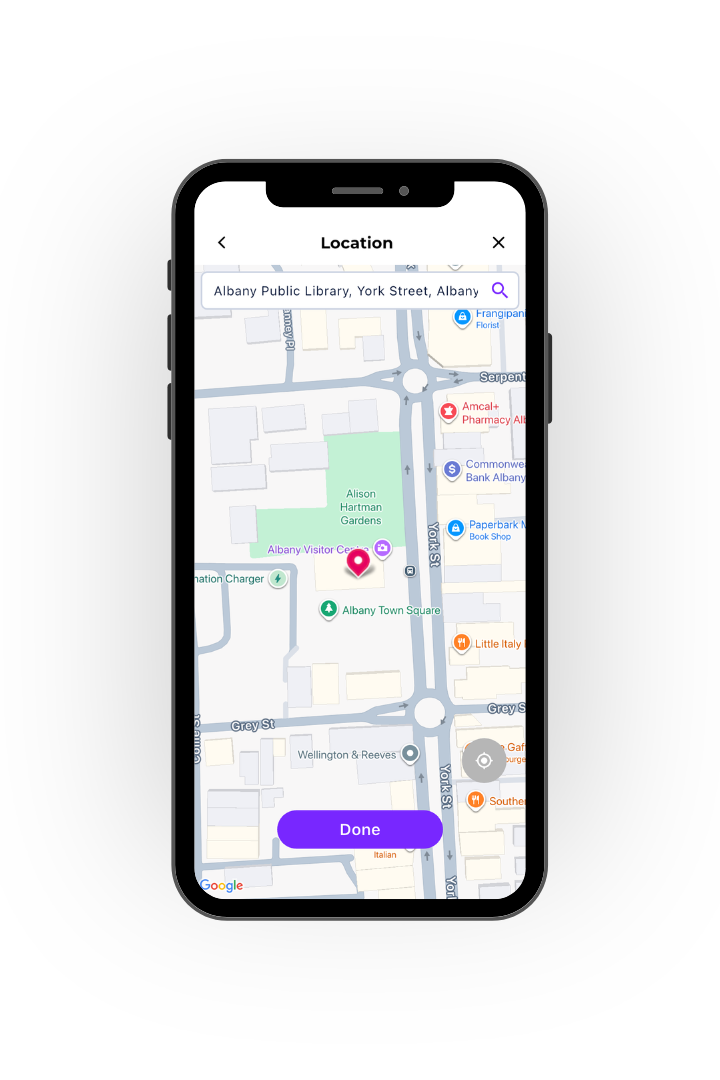
Once you have selected the place, it will show on the map. You can then tap ‘done’.
Step 6
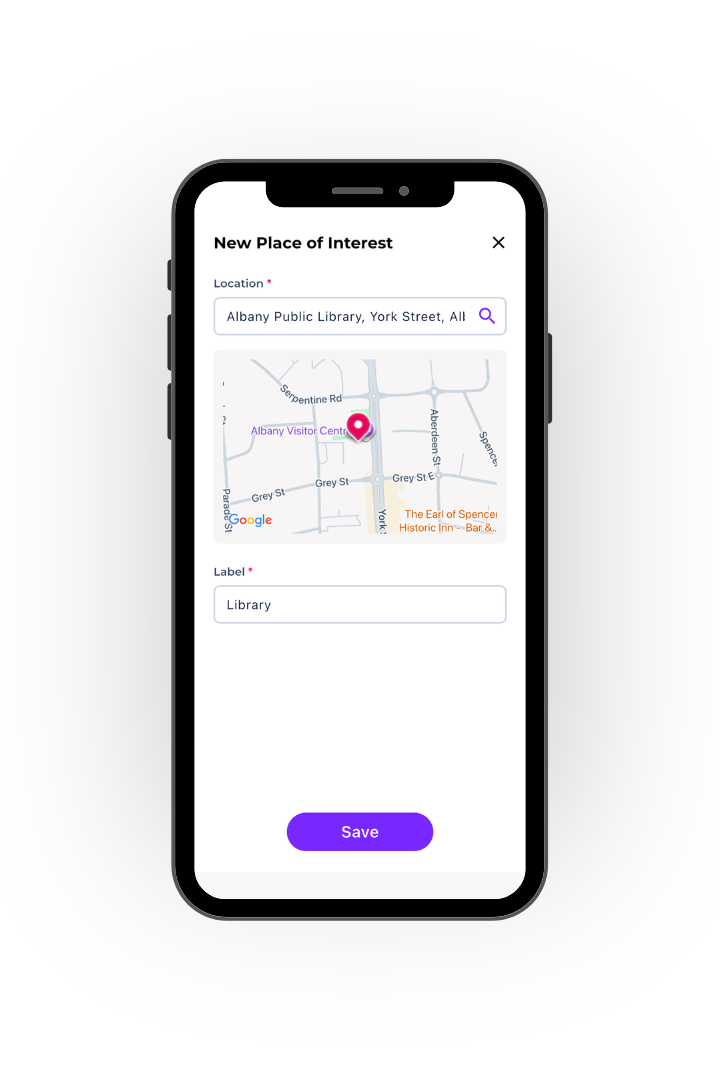
You can give your place a label, and then tap ‘save’.
Step 7
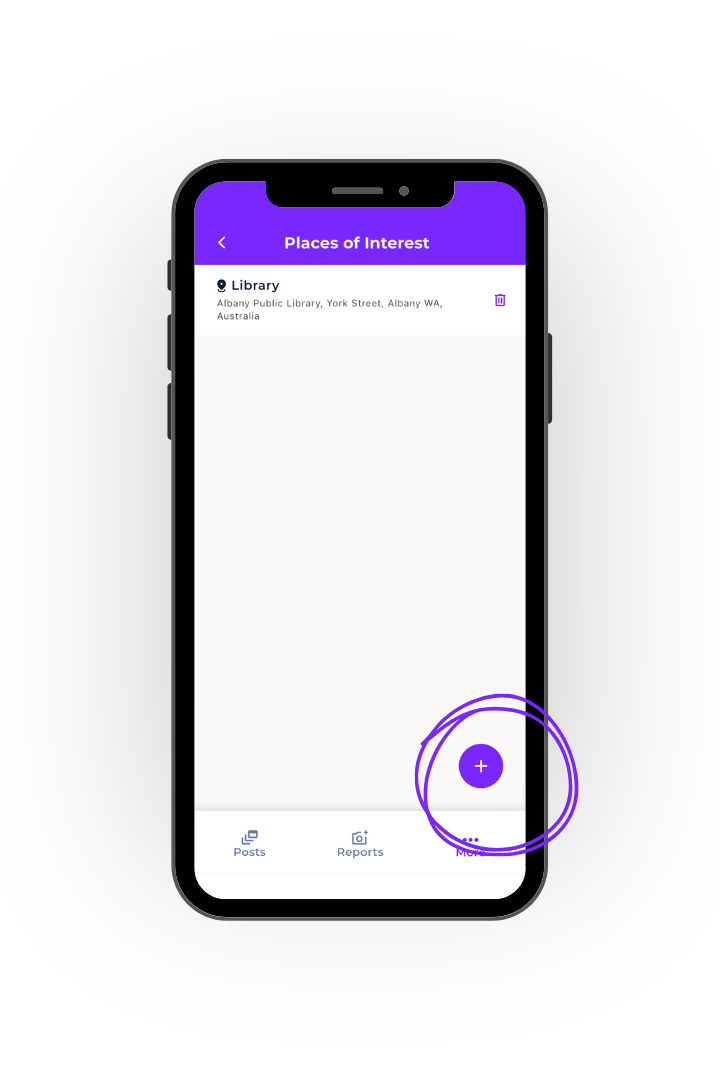
The place is then saved. You can add another using the same process by tapping the + button.
How to report an issue in Antenno
You can report community issues directly to the City of Albany quickly and easily through Antenno.
Step 1
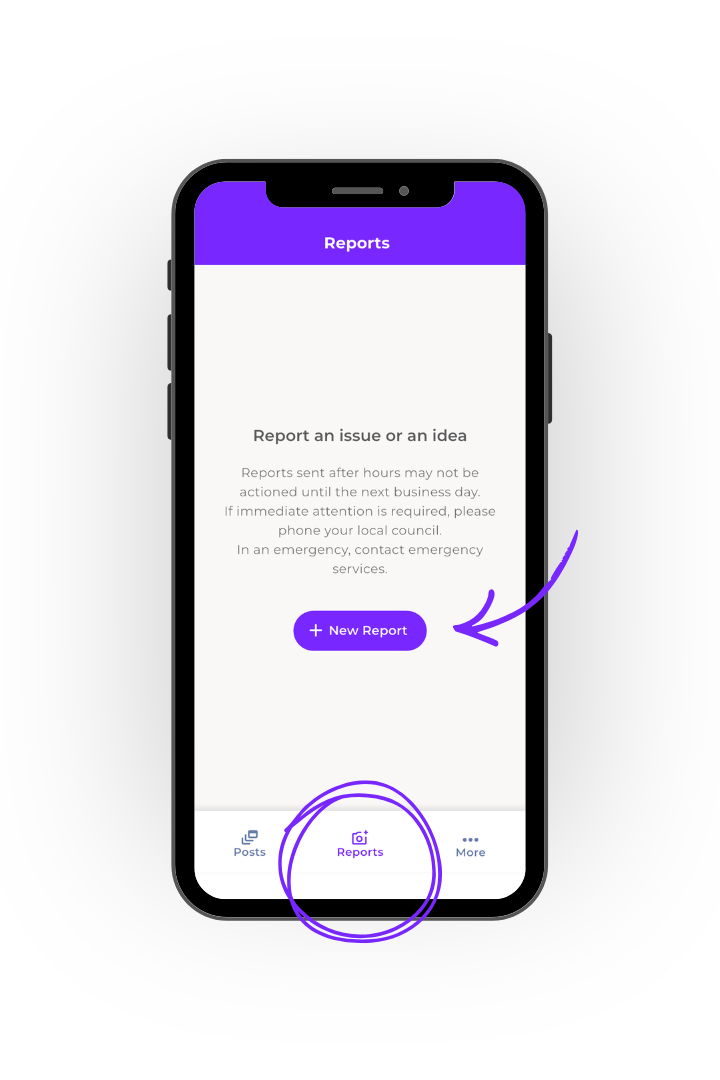
Open the Antenno app and tap on ‘reports’ on the bottom centre.
Step 2
Then tap on ‘new report’.
Step 3
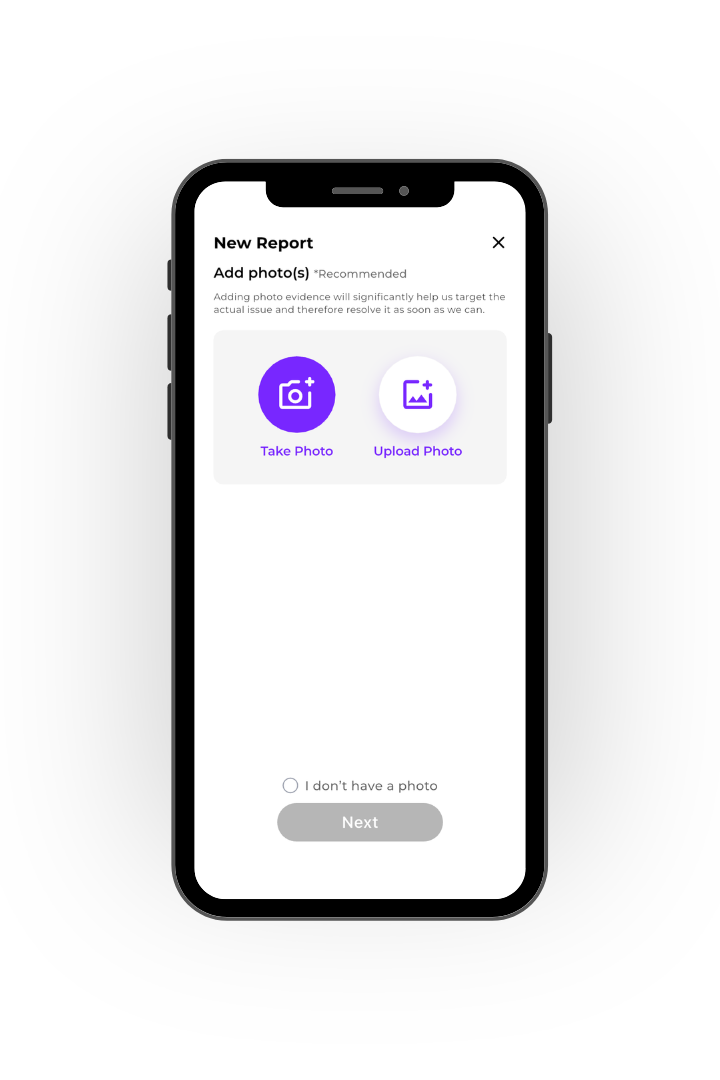
You can take a photo of the issue within the app or upload a photo previously taken. If you don’t have a photo, you can select this option to skip this step.
Step 4
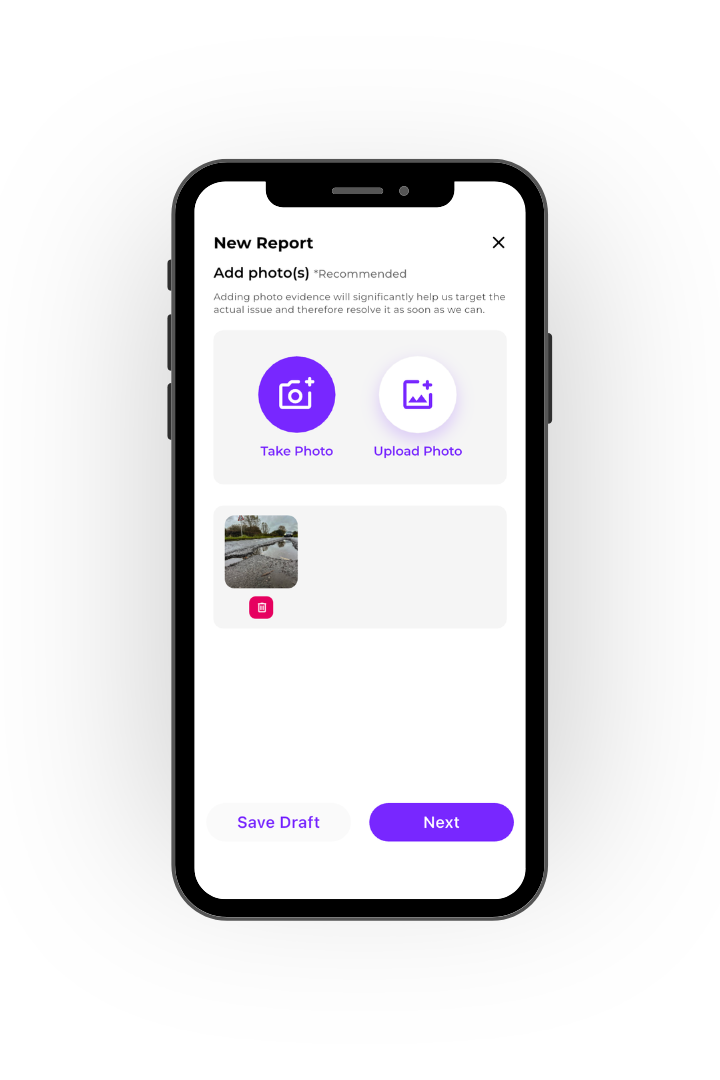
Once you have uploaded the photo, tap next.
Step 5
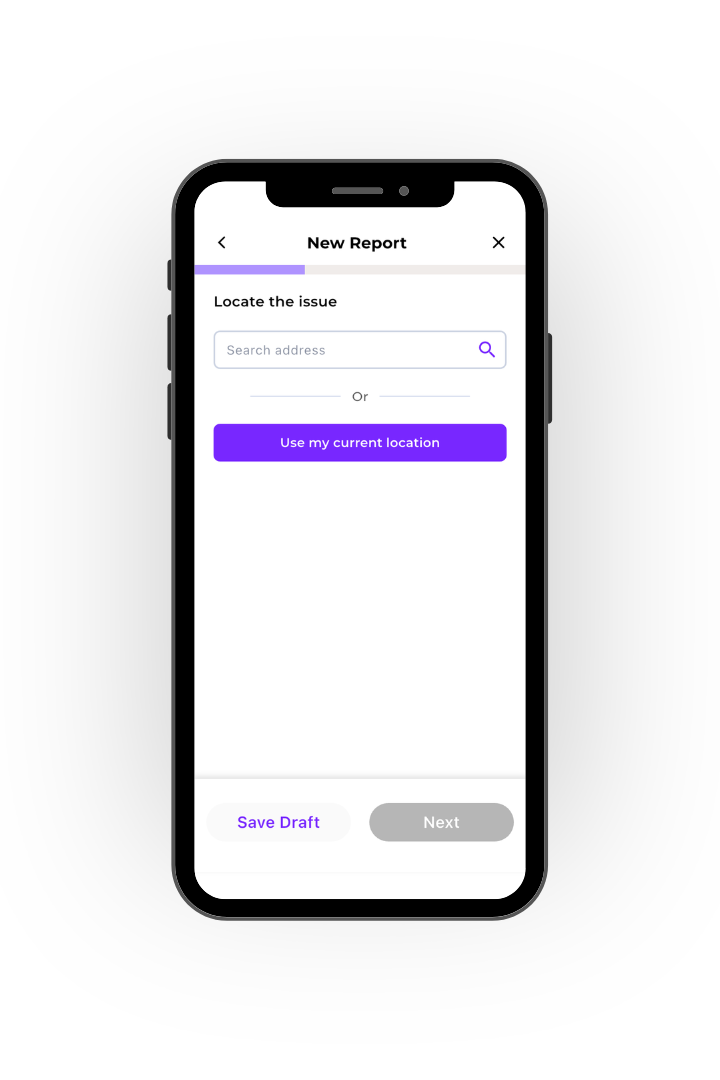
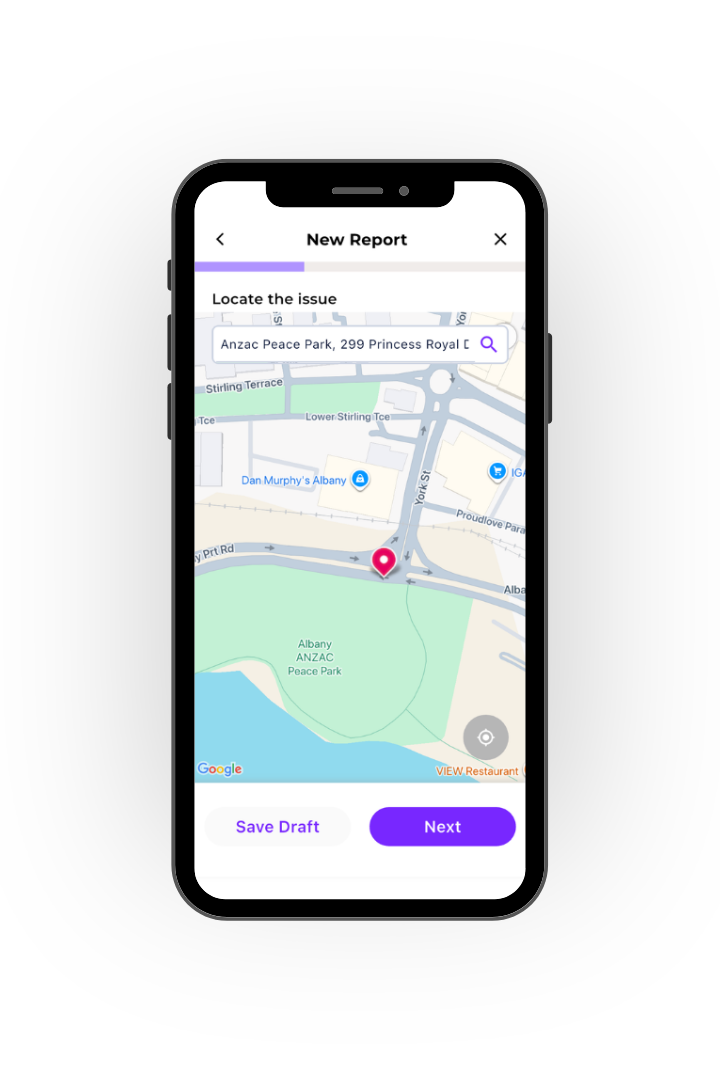
You can use your current location if reporting an issue on the spot, or search the address of the issue.
Step 6
You can then pinpoint the location on the map. When you are ready, tap ‘next’.
Step 7
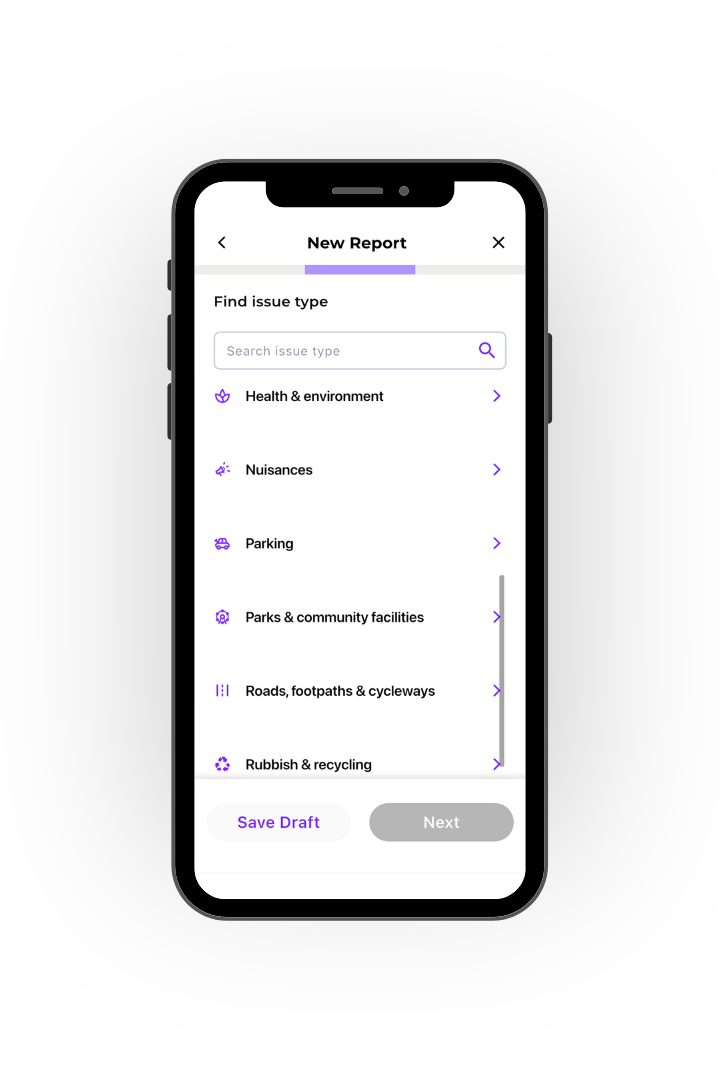
Select the issue type from the list.
Step 8
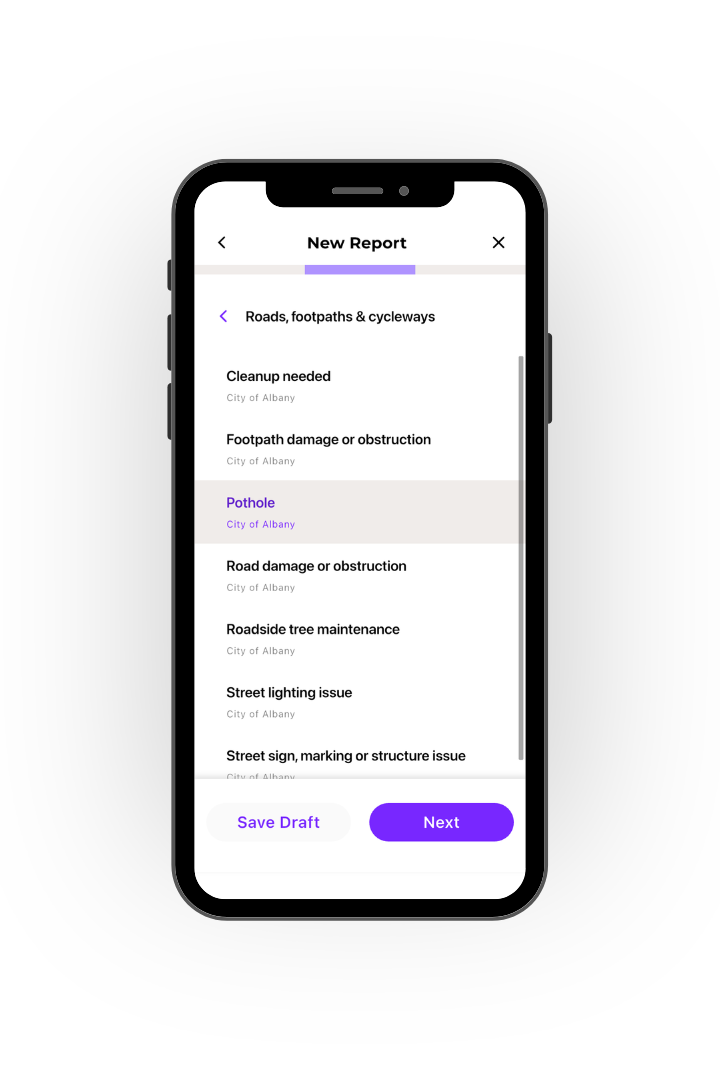
Select the issue subtype from the list.
Step 9
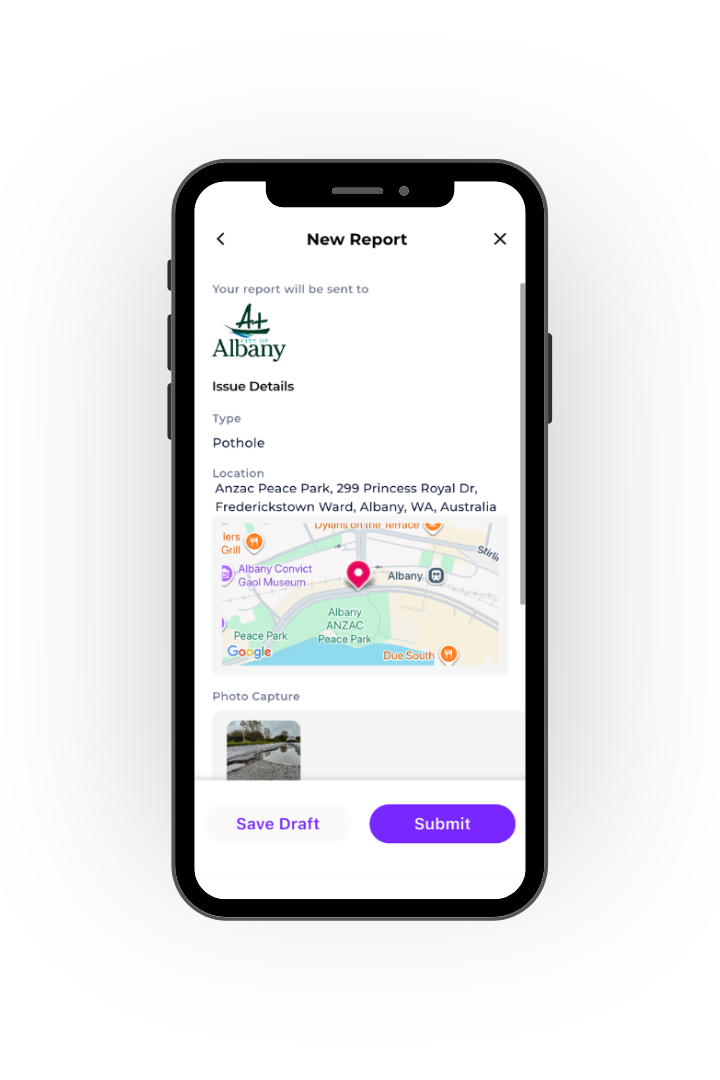
You will then be asked to fill out your contact details so we can get in touch if we have any questions. Once this is done, you can check and submit your report.
The City of Albany will receive your report and work on resolving it!